Spreadsheet import
Import your landlord spreadsheet
Bring the Excel or Google Sheets file you track rent in. Match its columns once, see every row before it is saved, and carry on from there.
- CSV, Excel (.xlsx) or cells pasted from Google Sheets
- Rent and expenses, or properties, tenancies and tenants
- Rows already saved are flagged as duplicates
- Undo a money import for 30 days
Start free
Free for 1 property. Premium for up to 10, £15 a month.
How it works
Upload or paste
A CSV or .xlsx file, or cells copied from your sheet.
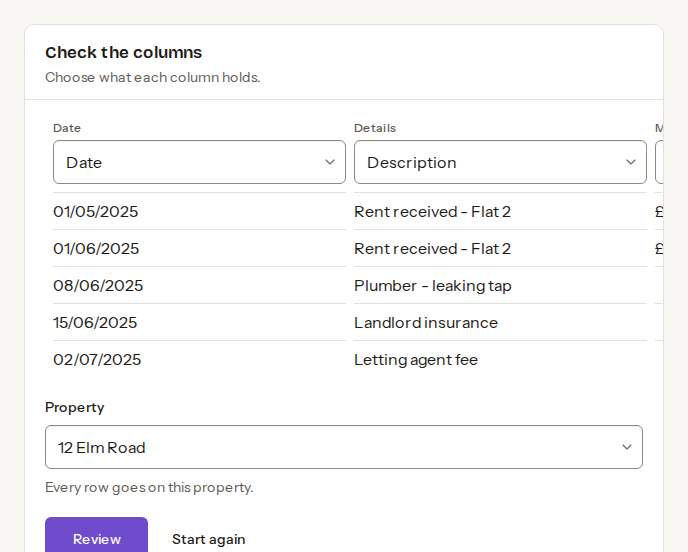
Check the columns
Say what each column holds. Common headings are matched for you.
Review and import
See every row, and what was skipped, before it is saved.
Frequently asked questions
- Does it work with Google Sheets?
- Yes. Download the sheet as CSV or Excel (.xlsx), or copy the cells and paste them in.
- What if I import the same rows twice?
- Rows that match an entry already saved are flagged as duplicates on the review step, before anything is saved.
- Is my spreadsheet stored?
- No. Letbook reads it once and keeps only the rows you import. A money import can be undone for 30 days.
Also in Letbook: WhatsApp import · Expenses logged for you · Claude and ChatGPT